 BubbleGrade
Check OMR sheets with any printer and a phone camera
Design an answer sheet, print it on plain A4 paper, then grade scans or phone photos of a whole batch on your Windows PC. Unclear marks are flagged for you to check, and results go straight to Excel. Nothing is uploaded.
From blank paper to an Excel mark list
Four steps, all on one PC.
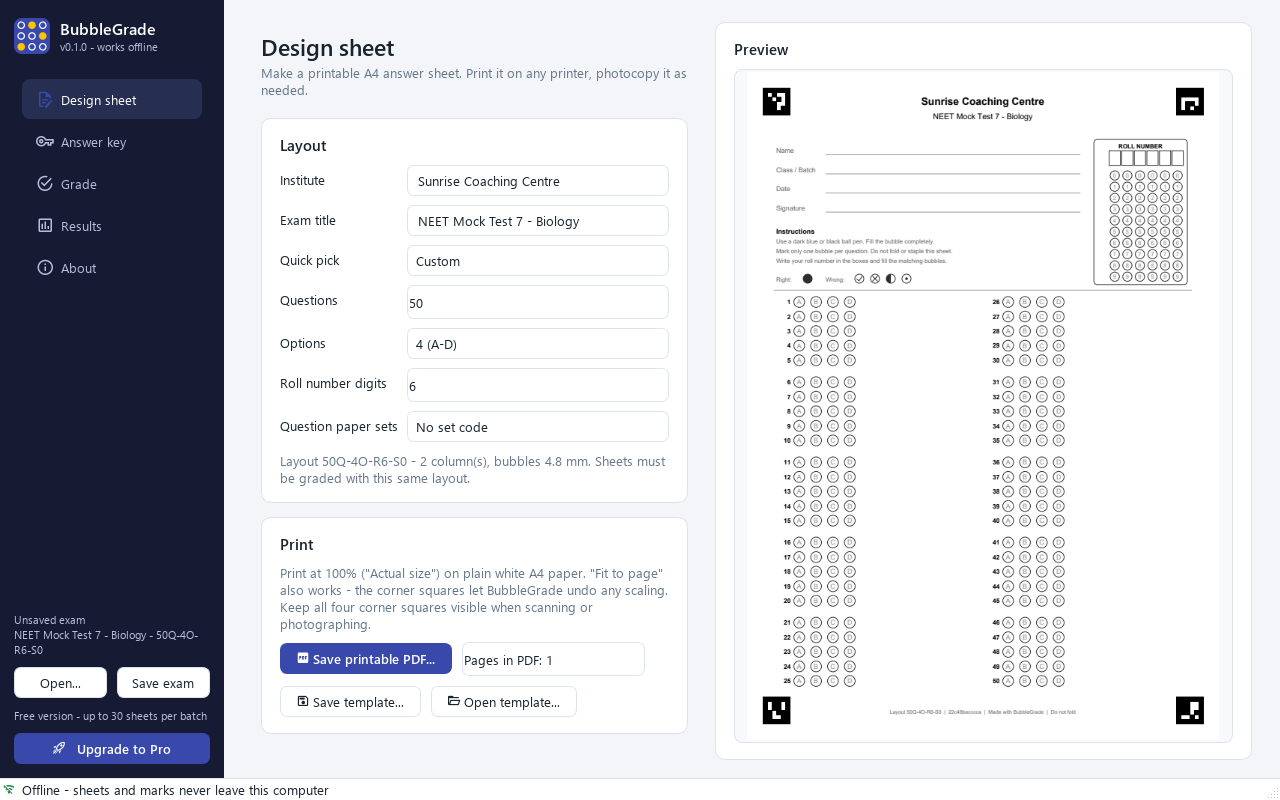
Design and print
Choose 1 to 200 questions with 2 to 5 options, roll-number digits and up to four question-paper sets. Save a PDF and print or photocopy it on plain A4.
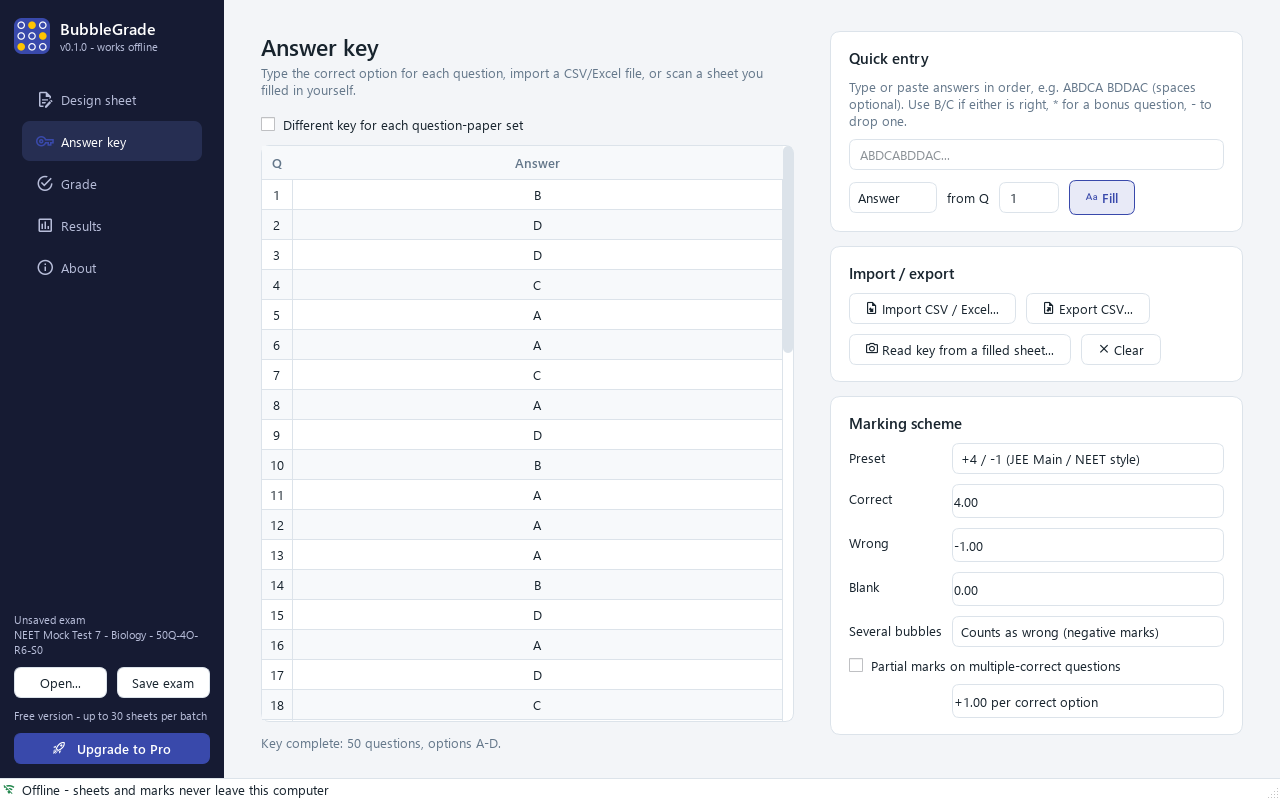
Enter the key
Type it, paste a string like ABDCA..., import CSV/Excel, or scan a sheet you filled in yourself. Set +4/−1 or any marking scheme.
Grade the batch
Drop a folder of phone photos, scanned JPGs or a multi-page scanned PDF. Each sheet takes well under a second.
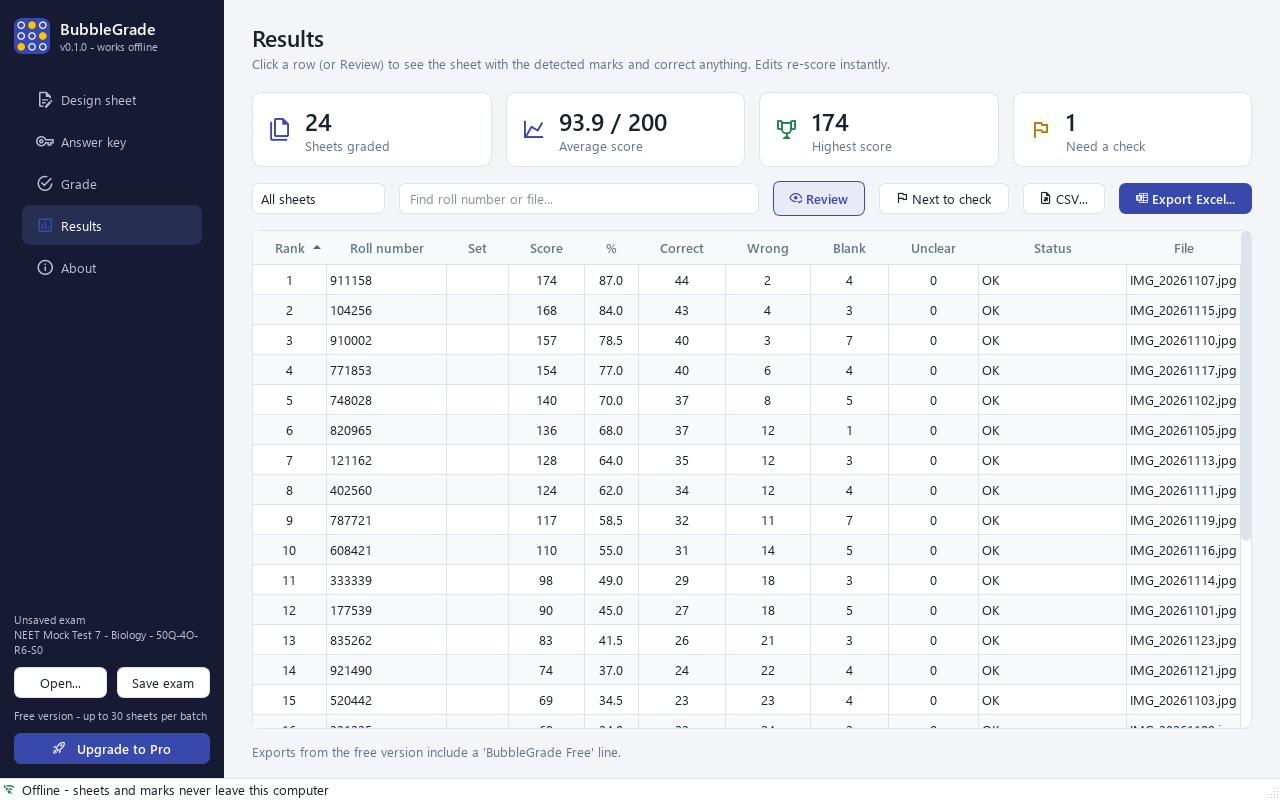
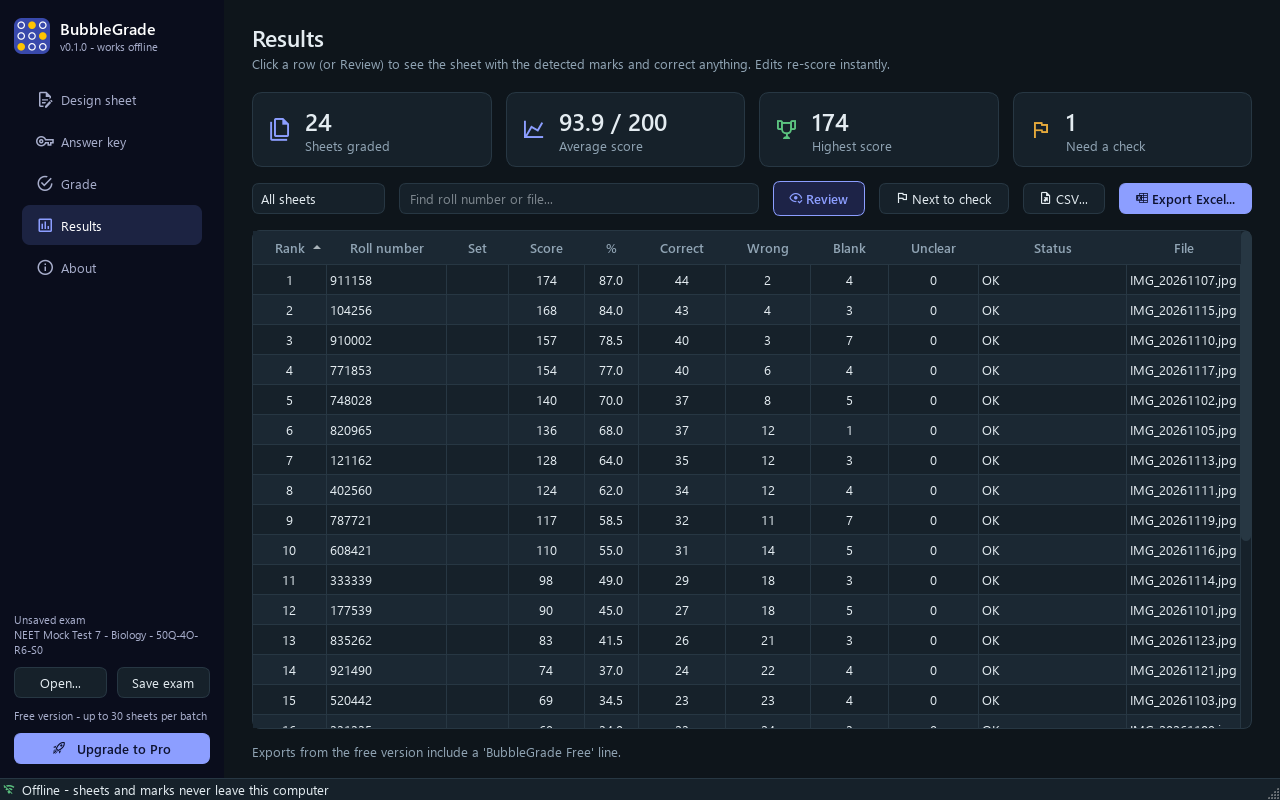
Check and export
Open flagged sheets, see the detected marks drawn on the page, fix anything with a click, then export to Excel.
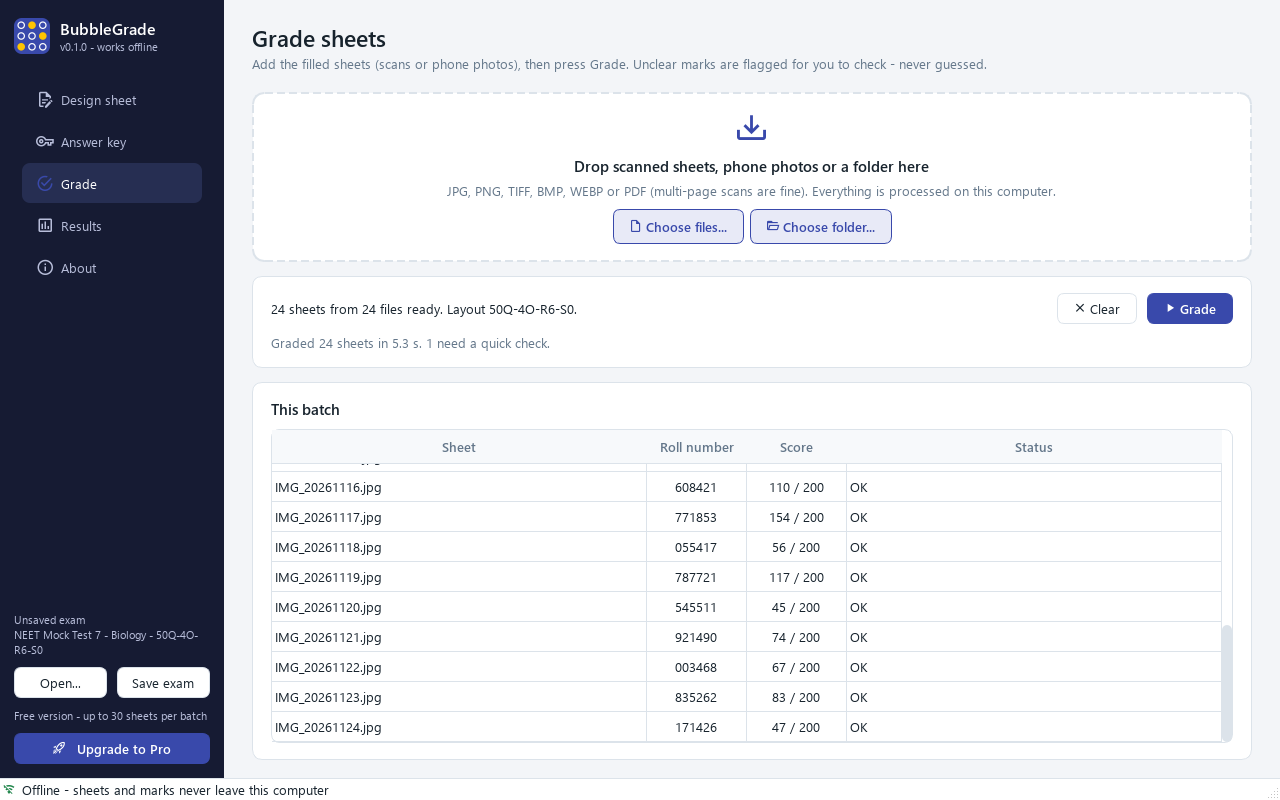
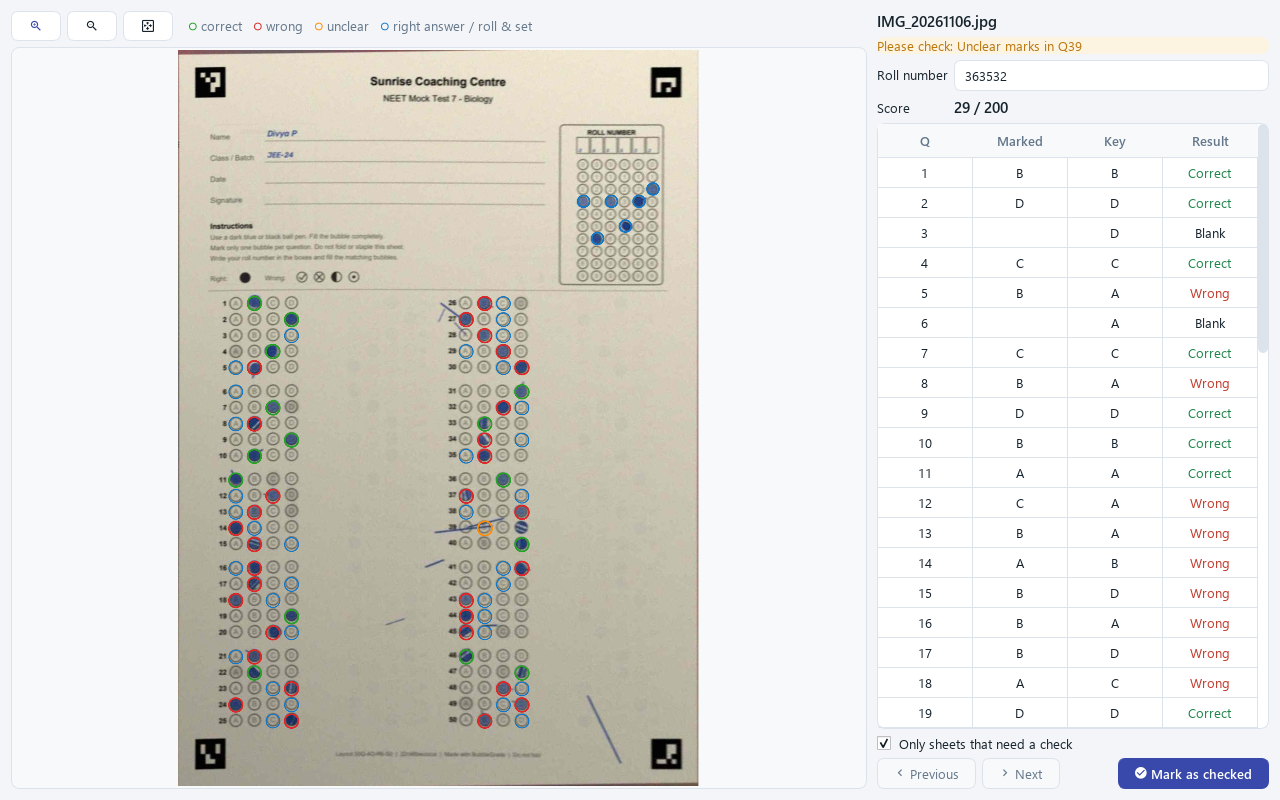
Built for how Indian institutes actually run tests
Plain paper, any printer
Inkjet, laser or photocopier, on ordinary A4. "Fit to page" printing is fine: the corner markers correct the scaling.
Scanner or phone photo
Tilted, rotated, upside-down or shadowed photos are flattened automatically. Scanned PDFs with many pages work too.
Flags instead of guesses
Faint marks, half-filled bubbles, smudges, double marks and unreadable roll numbers are flagged for a teacher to decide.
Excel results with analysis
Ranked mark list, every student's responses colour-coded, and per-question analysis: % correct, the most chosen wrong option, discrimination.
Sets, negative marking, bonus
Up to four question-paper sets with separate keys, +4/−1 or any scheme, multiple-mark rules, partial marks, bonus and dropped questions.
Fully offline
Students' sheets and marks never leave your computer. No account, no internet needed, licence checked offline.
Measured, not promised
No OMR software is perfect on real-world photos, and BubbleGrade is no exception. Here is what we measured, and how.
| Test set (synthetic) | Sheets | Bubbles read correctly | Sheets perfect, no check needed | Sheets flagged for a check | Wrong sheets not flagged |
|---|---|---|---|---|---|
| Flatbed scans | 120 | 100% | 100% | 0% | 0 |
| Phone photos, normal light | 120 | 100% | 100% | 0% | 0 |
| Hard phone photos | 120 | 99.98% | 90.8% | 9.2% | 0 |
| Extreme (beyond what we recommend) | 60 | 83.4% | 21.7% | 78.3% (13.3% unreadable) | 0 |
How we tested: 420 sheets printed from the app's own PDF (20 to 200 questions), filled by a program with pen-like marks (blue/black ballpoint, gel, pencil, scribbles, off-centre and light fills, stray lines, erasure smudges, multiple marks), then turned into scans or phone photos with rotation up to 15° (and upside-down), perspective, paper curl, lens distortion, shadows, uneven light, blur, noise and heavy JPEG compression. Settings were tuned on a separate set of sheets. "Hard" photos are about 800–1300 pixels across the page with strong shadows and blur; "extreme" ones are 600–900 pixels, very blurred and heavily compressed.
What this does not prove: synthetic sheets are not your students' sheets. Real ticks, crosses, folds, torn corners and very light pencil can behave differently. We have not yet published a study on real filled sheets. Check every flagged sheet and spot-check a few others before you publish marks.
Fair pricing for small institutes
Every feature is in the free version. Pro removes the batch limit and the watermark.
Free
Try it on a real test
- Up to 30 sheets per batch
- "BubbleGrade Free" line on exports
- Unlimited sheet designs and prints
- Personal & commercial use
Pro yearly
For a coaching centre or school
- Unlimited sheets per batch
- No watermark on exports
- Your institute's staff computers
- Updates and email support
Pro lifetime
Pay once, keep it
- Everything in Pro yearly
- Never expires
- All 1.x updates included
- Email support
Prices shown in Indian rupees. Show US$ pricesPrices shown in US dollars. Show Indian prices (₹)
Your licence key is emailed to you and checked offline. 7-day refund if it doesn’t work for you.
Questions
Does it need an internet connection or an account?
No. BubbleGrade makes no network connections at all. Sheets, roll numbers and marks stay on your PC, and the licence key is checked offline.
Can I grade phone photos?
Yes. Photograph the sheet flat, filling most of the frame, with all four black corner squares visible and in focus. Tilt, rotation (even upside-down), perspective, shadows and uneven light are corrected. Very small, very blurry or heavily compressed photos (for example forwarded several times on a chat app) are more often flagged or unreadable, so share original-quality photos.
What printer and paper do I need?
Any inkjet, laser printer or photocopier and ordinary A4 paper. Print in black at 100% ("Actual size"); "Fit to page" also works. Photocopies of a clean print are fine. Avoid very light or streaky prints, and keep the corner squares fully on the page.
Can it read my existing OMR sheets?
No. BubbleGrade reads only sheets designed in BubbleGrade, because it relies on their corner markers and exact bubble positions. Designing your own layout takes about a minute.
How big can a test be?
1 to 200 questions per sheet with 2 to 5 options (A–E), up to 10 roll-number digits and up to 4 question-paper sets. A 200-question, 5-option sheet uses smaller bubbles (about 3 mm), so ask students to fill them carefully.
Pen or pencil?
A dark blue or black ball pen works best. Dark pencil works if the whole sheet is filled with it. Very light pencil and incomplete erasures are flagged as unclear for you to decide.
What happens with two marks, ticks or crosses?
Two filled bubbles count as a multiple answer (wrong or zero, your choice). Ticks, crosses and faint marks are either read as blank or flagged as unclear; BubbleGrade never guesses an unclear answer silently. You decide on the review screen.
How fast is it?
It uses several processor cores at once. In our test on a laptop, 24 phone photos of a 50-question sheet were graded in 5 to 7 seconds; a 200-question sheet takes a little longer.
Which systems does it run on?
Windows 10 and 11 (64-bit). There is no Mac, Linux or mobile version yet.
How do licence keys work?
After purchase you receive a key by email. Paste it into the About page. Yearly keys carry an expiry date; when it passes, the app simply goes back to the free limits and your files are untouched.